
It's not a discipline problem. It's a planning problem.
Plan it. Do it. Let it adapt.
Three steps, and you never re-drag a calendar again. Your daily planner adapts for you.
Everything your day needs. Nothing it doesn't.
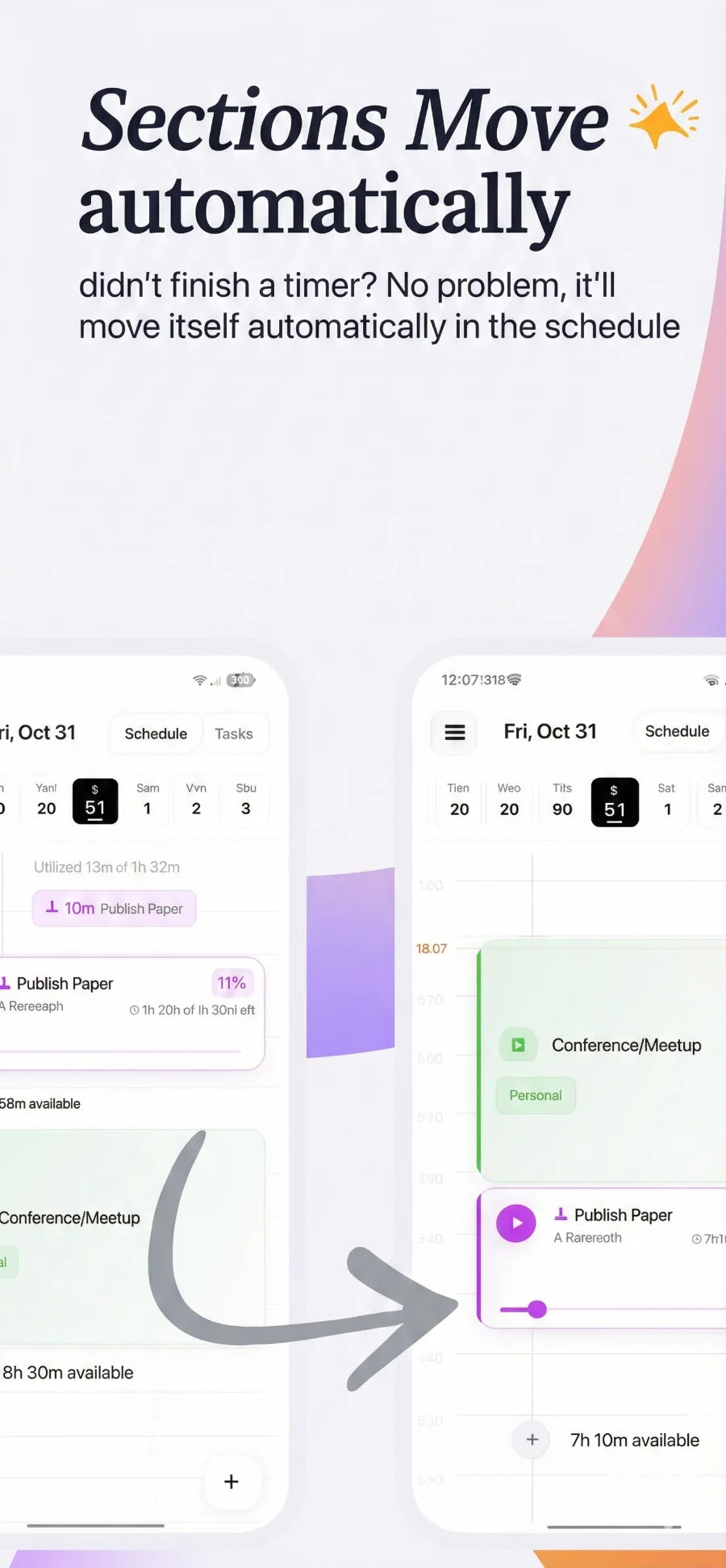
Sections move automatically
Fixed blocks stay put. Flexible sections slide forward when you fall behind, so your schedule planner shows life as it is.
A focus timer in every section
A distraction-free focus timer for each section. Forgot to start it? Slide the bar to log what you did.
Live planning insights
Know early when a day is over-planned, when there's free time, or when today's plans no longer fit.
A goal tracker built into your day
Define what matters, set goals inside each Area, and plan them in with one tap.
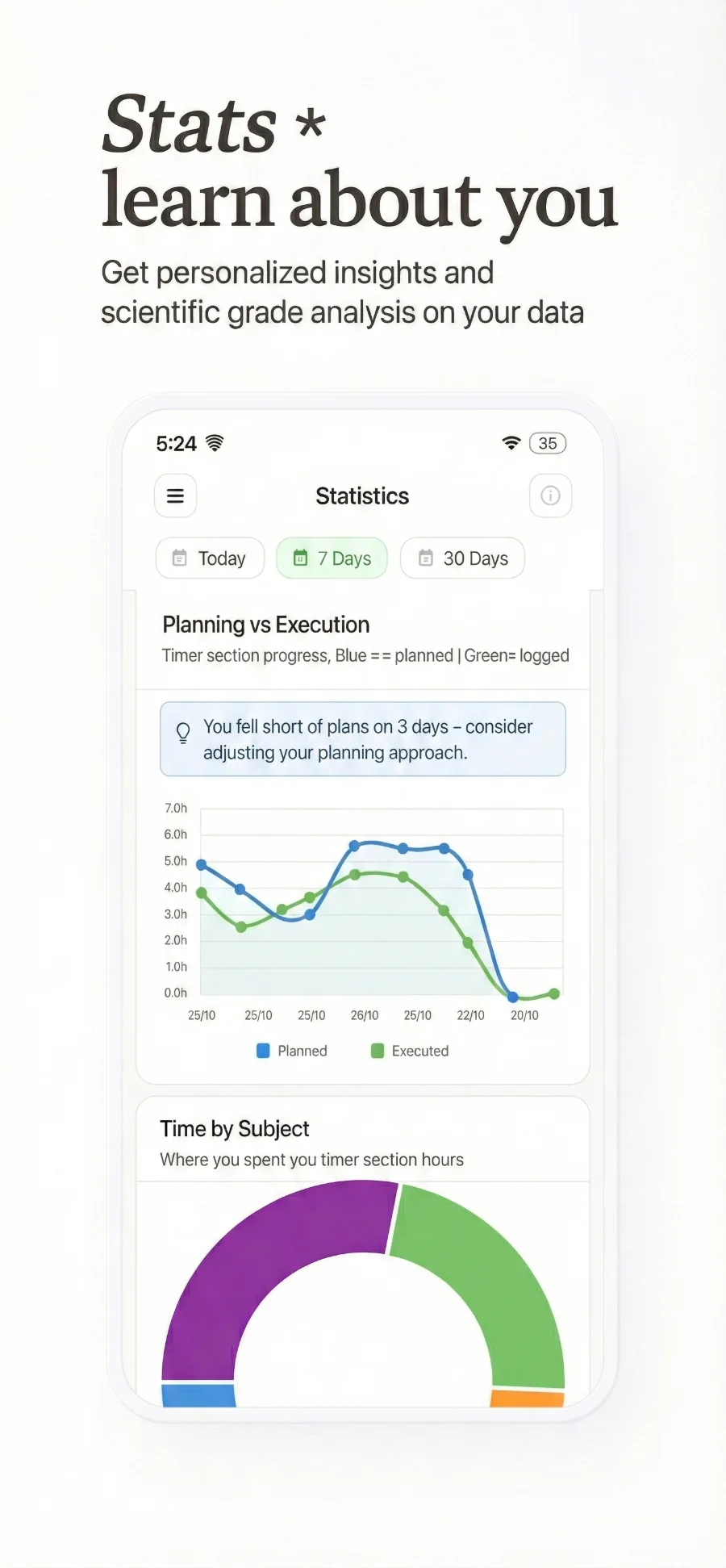
Stats that learn about you
Planning vs. execution and time by Area of life — the honest picture of how your time was invested.
Your calendar shows the plan. Thrive shows the day.
Loved by people who plan real days.
Here’s what our users say about planning their days with the Thrive schedule planner.
“This app is AWESOME! It's so clever and intuitive and really helpful the flipping your phone to start the timer and the fact that it stops when you pick it up, the whole thing is smooth and easy to use. It's actual genius.”
Perfect! no stupid things and an easy interface. Easy to begin with and focus on getting the actual work done.
The best app I have ever found out.... The best part is auto scheduling which kept me engaged during the study session without being distracted and this app is Less complicated too...
fantastic tool, original and much more effective than using Google Tasks or calander
I downloaded this app yesterday, and honestly I'm in love! … The design is sleek and minimalistic, the concept is genius, and the execution is perfect!
Works good and helps to schedule and properly distribute study hours efficiently ..improved my consistency, sincerity, focus and work rate as well since the day i started using it
Perfect, this app in my opinion is better than "Notion" and the rest of the programs. It is very simple and practical
I really love this app the ui is so easy to use. … in general the app is the best one out there
I have been searching for a lot apps. We have to plan every subject and every break but this app automatically schedule everything.... One more best thing this is fully customizable.... I LOVE THIS APP
Best for Productivity... Never been soo much productive in my life
The UI of the App is wonderfull just according to my taste. Very elegant and satisfactory to use this Scheduler.
This app will teach you consistency.
Aesthetic asf + actually so helpful
Helps me with time management
Pretty useful and simple to use :) it deserves 5 stars.
Runs smooth and looks nice and modern, really liked it.



Questions, answered
Is Thrive free?
Yes. Thrive is a free schedule planner and daily planner app. Download it on iPhone from the App Store or on Android from Google Play.
What is a schedule planner app?
A schedule planner app helps you decide when to do each task, not just what to do. Thrive combines a schedule planner, a daily planner, a focus timer and a goal tracker in one app, and updates your plan automatically as your day changes.
How is Thrive different from a calendar or a to-do list?
A calendar shows a fixed plan, and a to-do list shows everything at once. Thrive shows only what fits today, moves unfinished sections forward on their own, and warns you when your plans no longer fit.
Can I use Thrive as a daily planner for studying or work?
Yes. Students plan study sessions around lectures, and professionals plan deep work around meetings. Set a daily work capacity and your daily planner stays realistic, even on busy days.
What's the difference between a fixed block and a flexible section?
Fixed blocks have a start and end time, like a normal calendar event. Flexible sections have a planned duration and move through your day based on your progress.
What happens if I don't finish something?
Unfinished flexible sections move forward automatically and your logged progress is saved. Your timeline always shows what's still realistic today.
How does the focus timer work?
Start a section and the focus timer counts your time against what you planned. Your stats then show planned vs. actual time, so you learn how long things really take.
Do I have to use the timer?
No. Log progress any time with the progress slider — select the section and slide to how long you worked.
What are Areas of life and Goals?
Areas of life are what matters to you, like University, Exercise or Startup. Goals are outcomes inside an Area. Plan them into your schedule in one tap and track them in your stats.
What is a daily work capacity?
It's how many hours you can realistically work in a day. Thrive compares your plans against it and warns you when you've planned more than fits, so your schedule stays realistic for the life you have.
Will Thrive tell me if I've planned too much?
Yes. Live insights flag over-planning against your daily work capacity, highlight free time, and let you know when today's plans can't be finished.